UX, UI, STRATEGY, INNOVATION
Jewelry Composer & AI Assistant
Designing a user-centric jewelry composer and an innovative AI assistant to transform a complex product catalog into a creative and intuitive experience.
Timeline
Iteration and improvements from 2021 to 2026
Team
1 ux/ui designer (me), 1 graphic designer, 2 backend and 1 front end developers.
My Role
UX Designer, Interaction Designer, AI-powered solution Designer
Challenge
Enable users to preview their jewelry compositions (master + charms) without the friction of multiple tabs and imagination gaps.
Solution
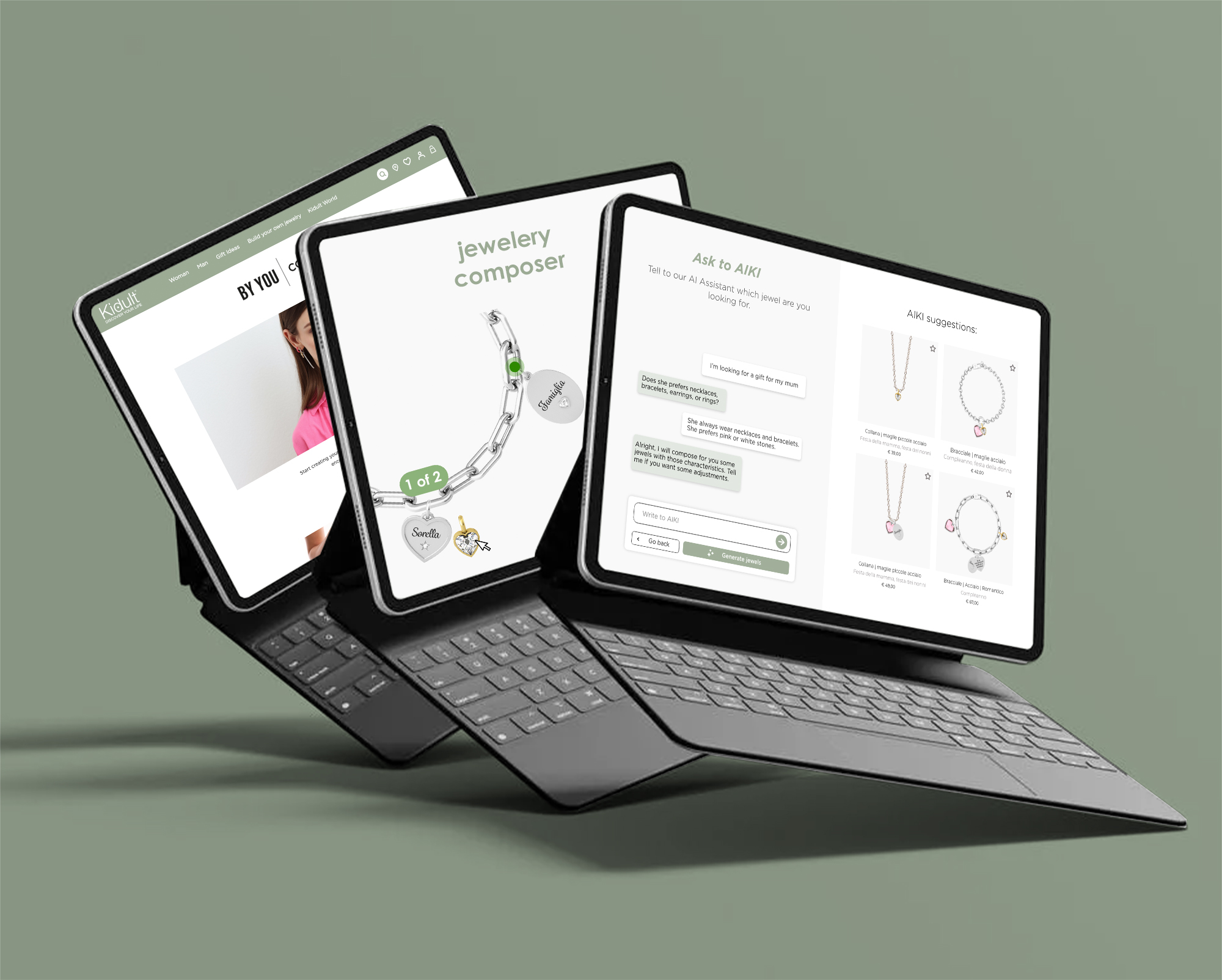
A manual jewel composer to let user create their dreaming jewel and an innovative AI assistant that understands user needs and preferences and recommended the perfect jewel.
Design Process
This solution went through several iterations. After aligning with the client on a shared brief, I began by analyzing how the company’s target users interacted with the website and studying how competitors presented and sold their composable jewelry. I also collaborated with the developer to discuss technical constraints and client requirements.
From there, I framed the problem and proposed both a user flow and a step-by-step jewelry composer.
During the process, the client identified a business opportunity to integrate AI. Together with the algorithm provider, we redefined the user flow and developed a step-by-step guided questionnaire.
The introduction of the AI composer increased purchases of the new collection by 32%. In addition, thanks to collaborations with several malls, I also designed and developed the front-end interface for an in-store kiosk.
Users feedback revealed that the guided questions were too lengthy, causing many to abandon the flow. To address this, I conducted deeper research, combining qualitative and quantitative data gathered through Smartlook.
Based on the findings, I identified new design opportunities, improved the manual composer, and redesigned the AI assistant experience.

Brief, Competitors and user analysis.

Constraints, Pain Points and Problem definition

User flow and jewelery composer solution

New AI algorithm and user flow changes

Iteration: new UX research with Smartlook

Problem Framing and design opportunities

New AI solution that cohexists with manual composer
Brief, competitors, user analysis & Problem definition
The Brief: Launch a customizable jewelry line competing with Pandora and Giovanni Raspini, enabling users to preview their compositions without the friction of multiple tabs and imagination gaps.
Initial Analysis & Constraints: Analyzing the 200+ charm catalog and mobile-first requirements (92% users), I identified critical UX challenges in existing solutions.
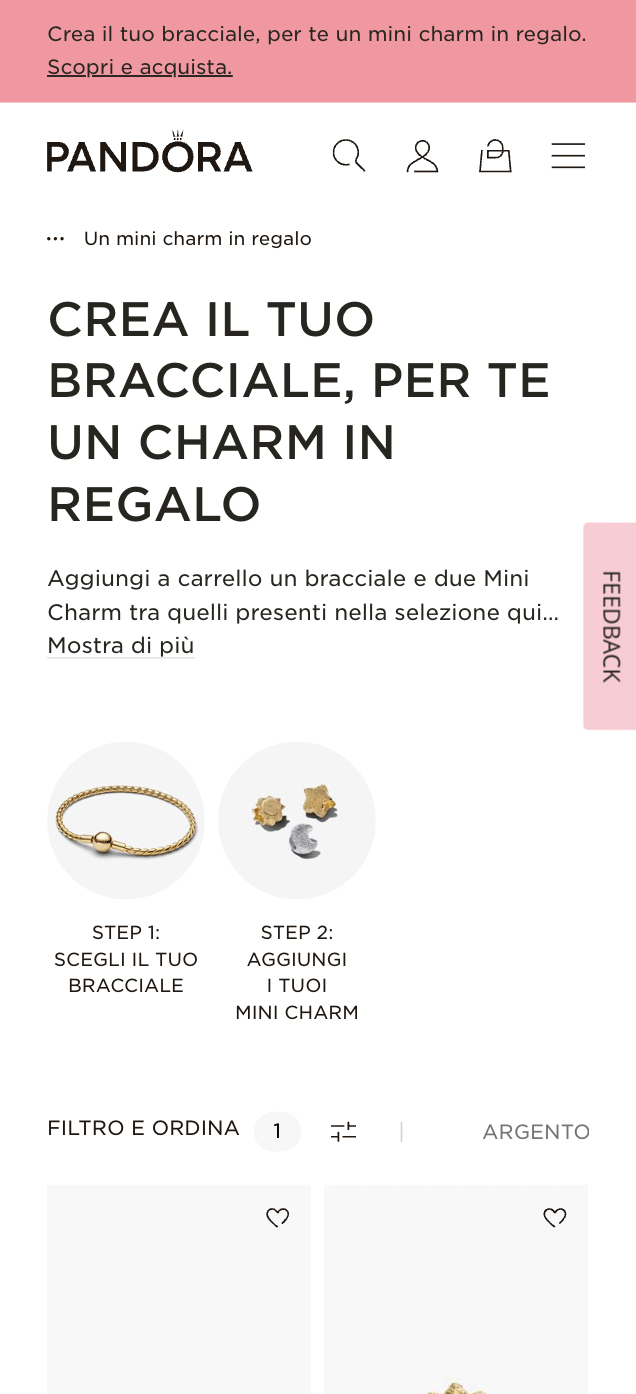
- Pandora: No preview functionality. Users must add a bracelet to the cart and then add charms separately, without seeing the final composition.
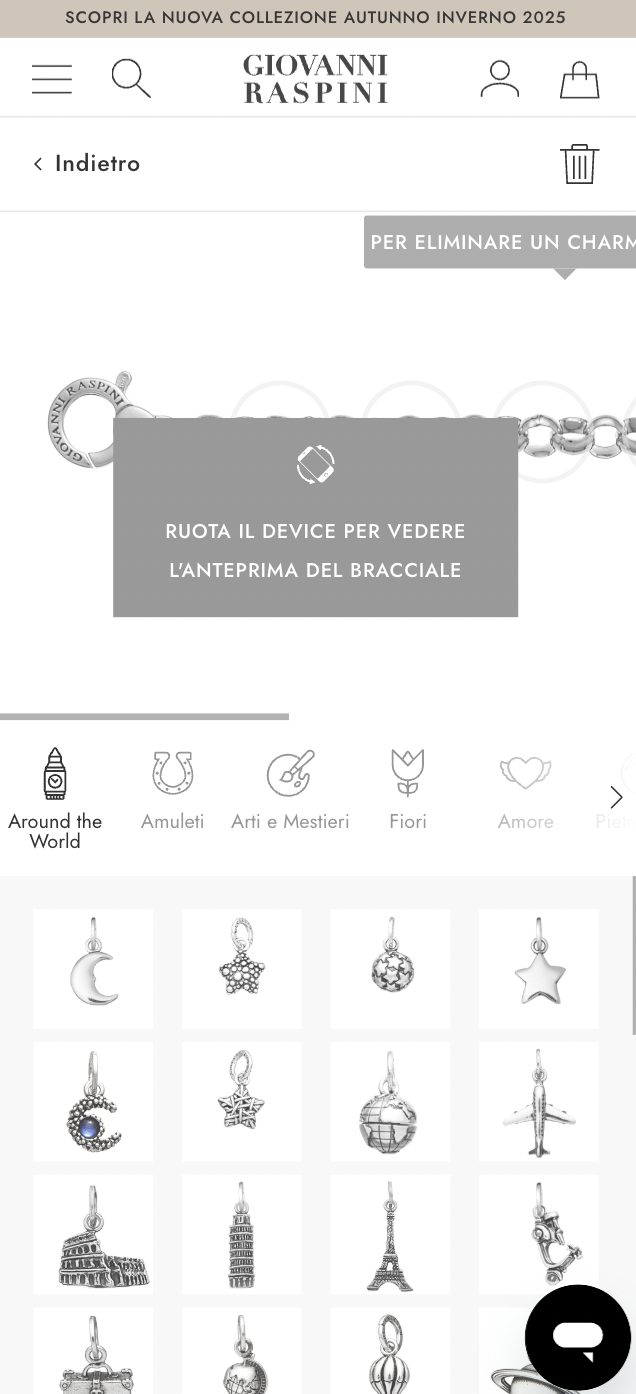
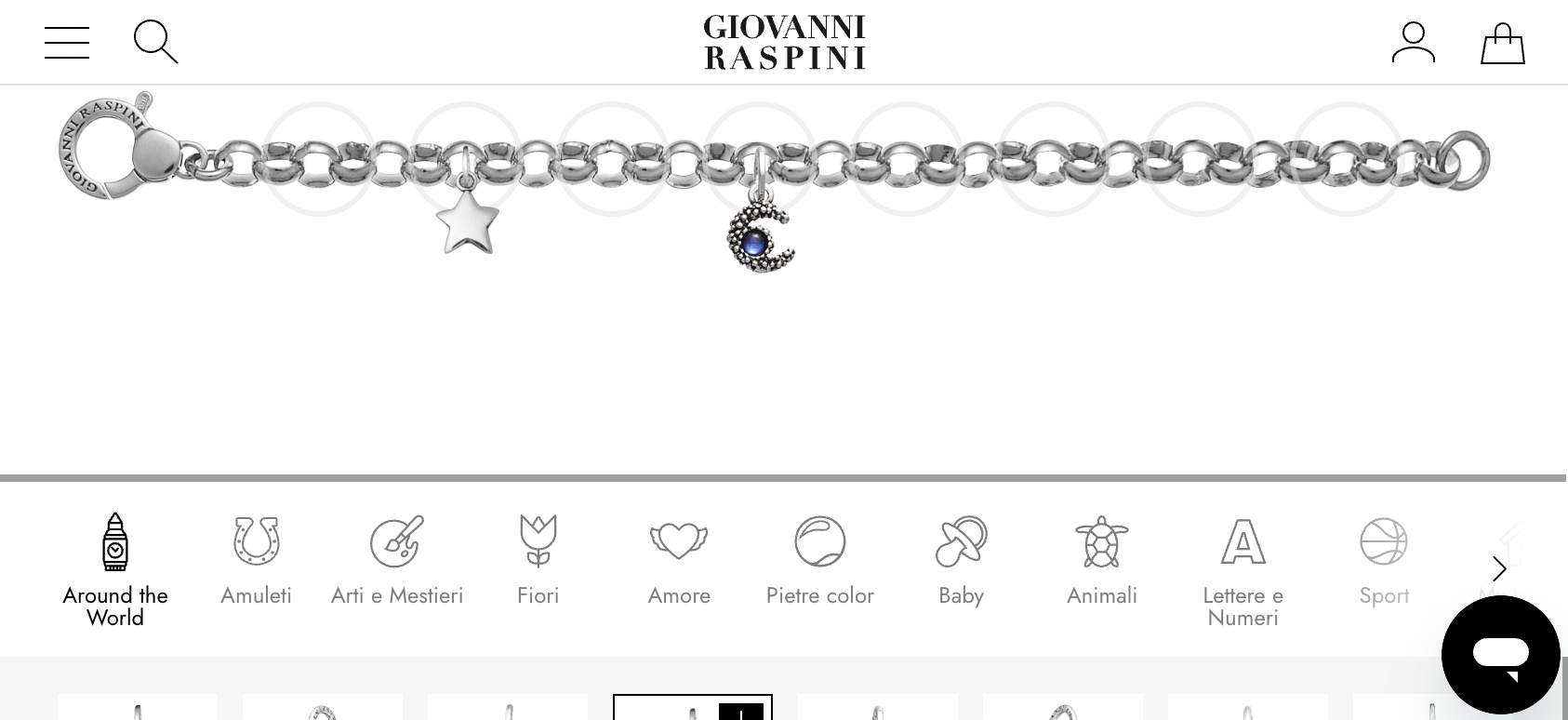
- Raspini: Offers a preview composer, but requires users to rotate their phones to view the entire bracelet. In horizontal view, drag-and-drop is nearly impossible—once users start dragging a charm, the bracelet moves out of the viewport.
- Pandora benefits from strong brand recognition, allowing users to purchase bracelets even without previews.
- Raspini provides a more complete experience, including charm filtering by shape and category, but usability is limited on mobile.
User flow and jewelery composer solution
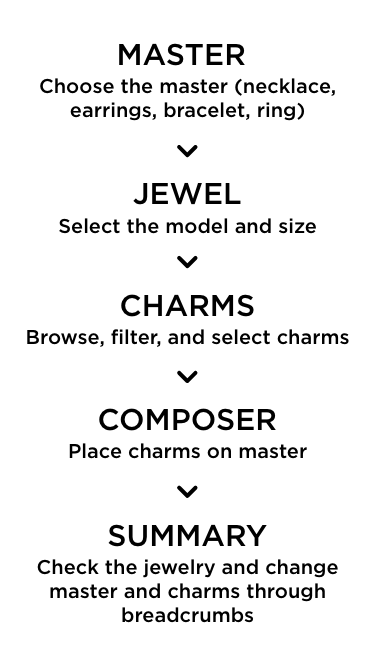
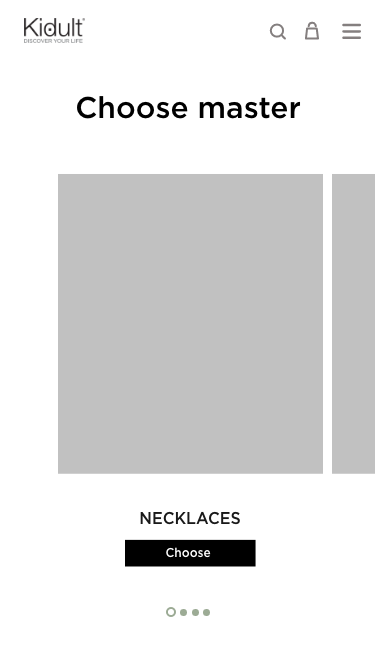
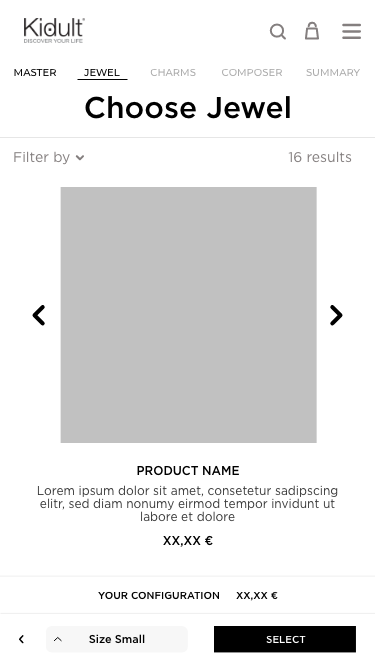
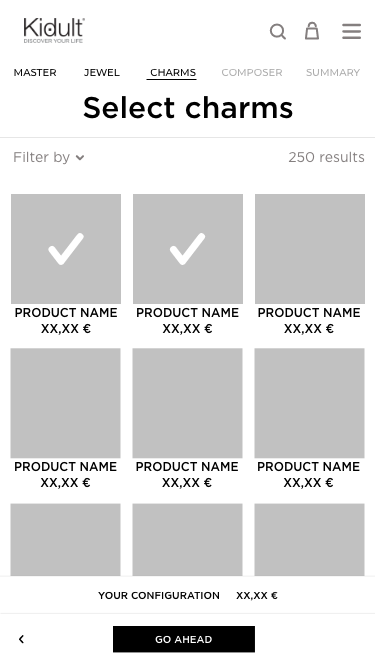
I mapped the full user flow and defined all possible actions at each step.
User Flow:
- A call-to-action in a homepage banner and a menu link lead users to the composer page.
- The guided process unfolds in five steps:
- Choose the jewelry category (necklace, bracelet, earrings, ring).
- Select the model, color, and size.
- Browse and select charms.
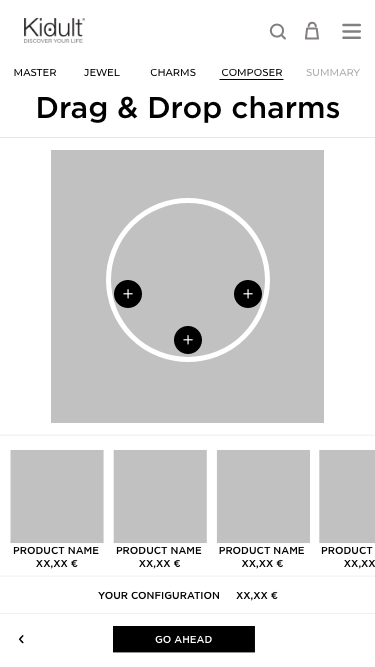
- Compose the jewelry.
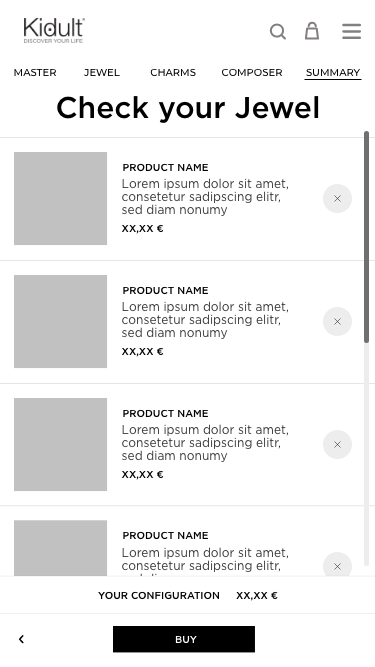
- Check the summary.
- Finally, users proceed to “Add to Cart” and checkout.
- A call-to-action in a homepage banner and a menu link lead users to the composer page.
User Actions:
- At each step: go back, continue, or exit the flow.
- In Step 4: place charms on the master, change positions
- In summary: remove charms, select a different master or charms through breadcrumbs.
AI introduction
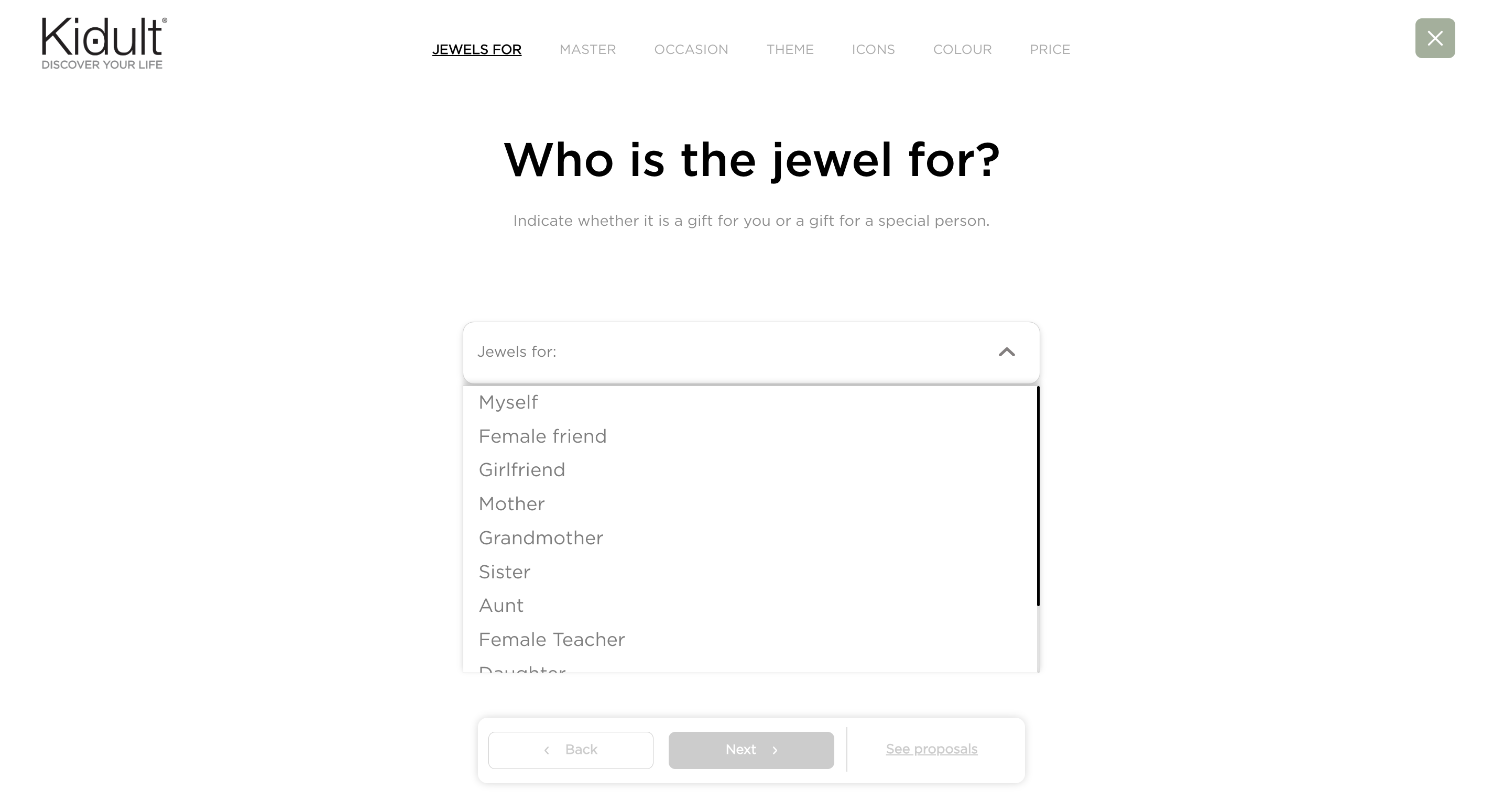
As part of a strategic decision, the client decided to integrate AI. A technology partner proposed using AI to catalog charms by analyzing images and descriptions, extracting tags such as shape, color, mood, and gift occasions.
Users could then complete a questionnaire to filter charms and express preferences. Based on their answers, AI generated suggested compositions.
I proposed reducing the number of questions and adding a “Skip to Composer” option to minimize drop-offs.
Key Challenges & Solutions:
- Preview Generation: Without 3D models, I studied charm and master proportions, provided detailed guidelines for asset preparation, and implemented a 2D composer with precise drop-zone coordinates.
- Collaboration: I worked closely with developers to ensure smooth integration and cart functionality.
First results
The AI composer launched successfully, earning recognition at the Netcomm eCommerce Fair and driving a 32% increase in new collection sales. Additionally, I designed and developed the front-end for an in-store kiosk used in multiple malls.
Smartlook UX and Data Analysis
Post-launch, user feedback highlighted that the questionnaire was too long, causing many users to abandon the flow.
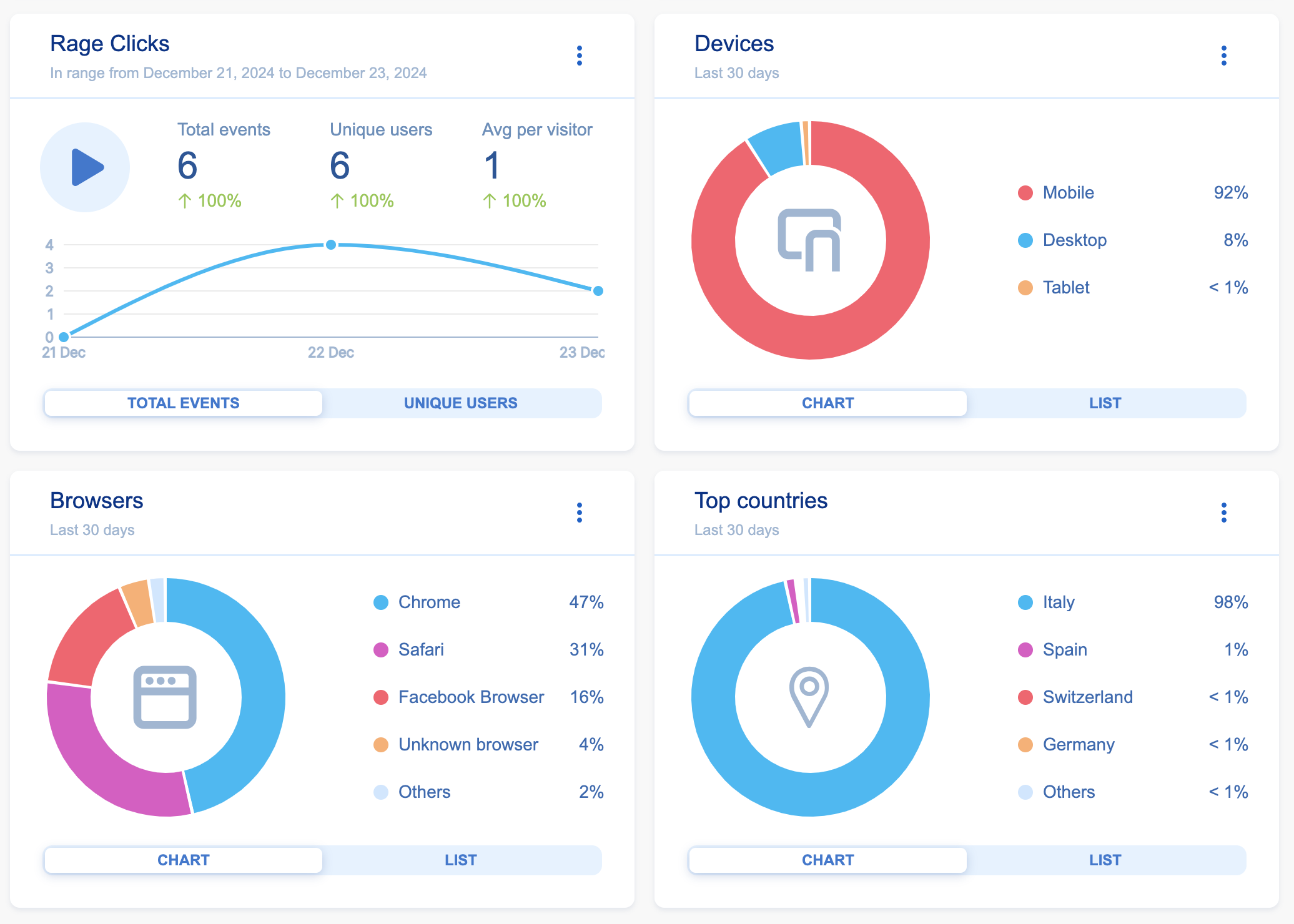
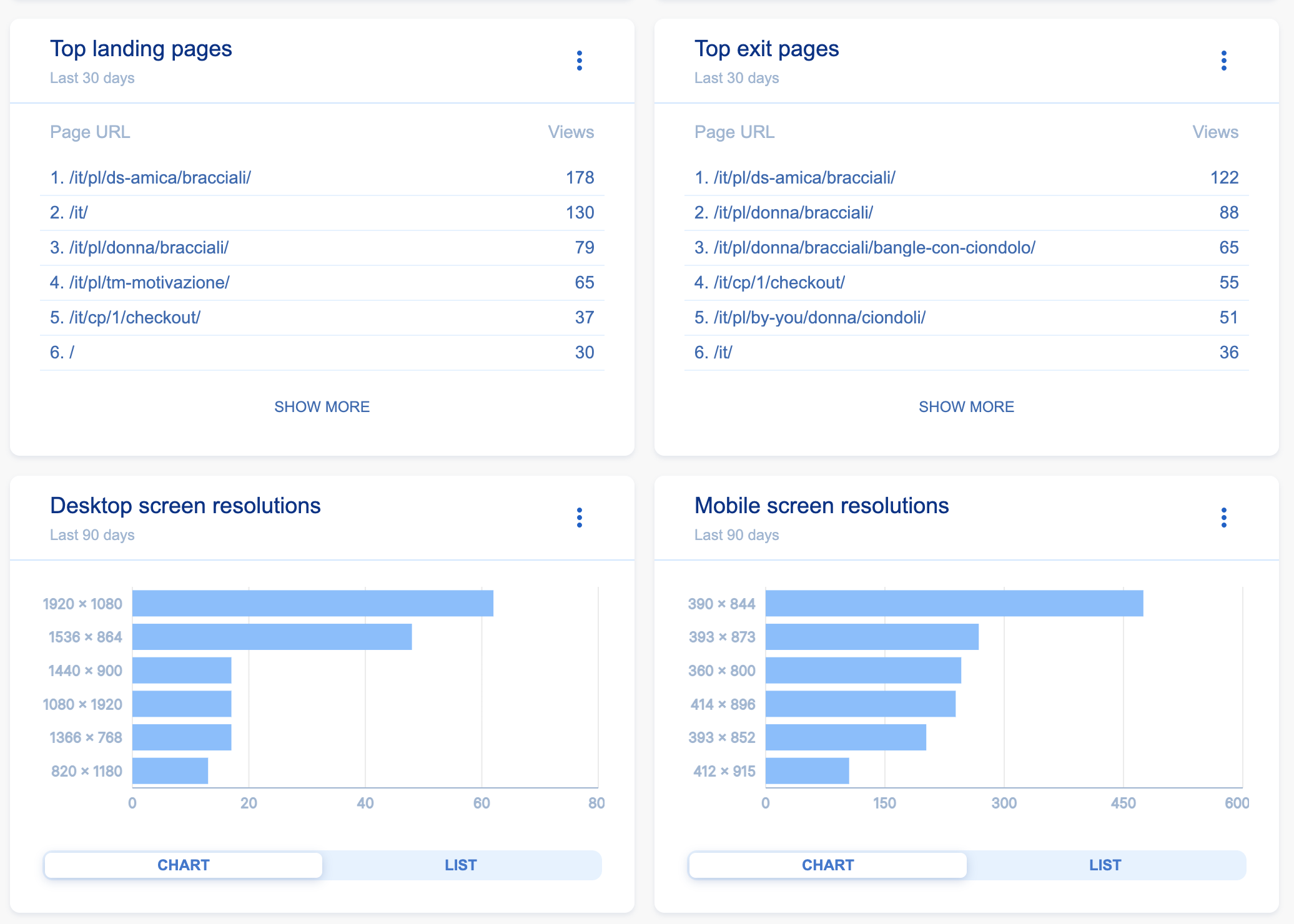
I conducted an in-depth analysis using Smartlook:
- Data Sample: 2,952 user sessions.
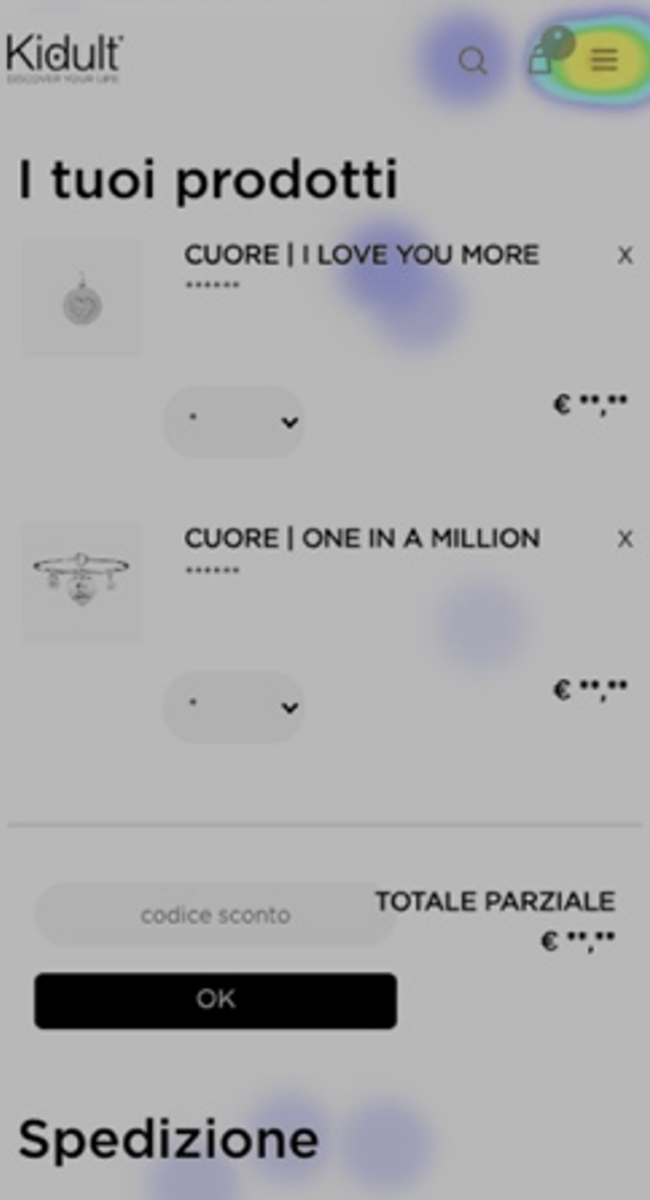
- 92% of users on mobile faced significant usability issues.
- 213 users attempted the configurator, but only 88 reached checkout.
- Search function failing on basic queries ("charm" returned unrelated necklaces)
- Cart abandonment reached 58%, largely due to confusing UI and missing CTAs.
- Many users bypassed the configurator, manually adding items to the cart without previews.
- Search functionality failed: queries like “bracelet with cat charm” or “necklace with one in a million charm” returned zero results, despite these being possible to configure.
Insight:
Users weren’t searching for pre-made products—they wanted to create personalized jewelry. The rigid, step-based configurator was forcing premature choices and leaving them with no results. This insight reframed the problem and opened the door for a more intelligent, user-centered solution.



New User Flows
Building on these findings, I designed a new flow that combined flexibility and intelligence:
AIKI Assistant: Powered by AI, the assistant understood user intent expressed in natural language and generated relevant compositions.
Search Integration: Users searching for composable jewelry (e.g., “necklace with pink stones”) could now get results instead of dead ends.
Dual Approach: Users could either follow AIKI’s suggestions or use the manual composer to design their jewelry independently.
The Composer Iterface
To simplify the manual composition process and reduce cognitive load, I designed a split-screen interface:
One side displayed the live preview of the jewel.
The other side showcased a curated list of charms.
To address the difficulty of placing charms, I introduced an interactive pin system with clear animations and feedback, guiding users exactly where charms could be placed and confirming actions. This made composition intuitive and engaging.
The innovative Solution AIKI
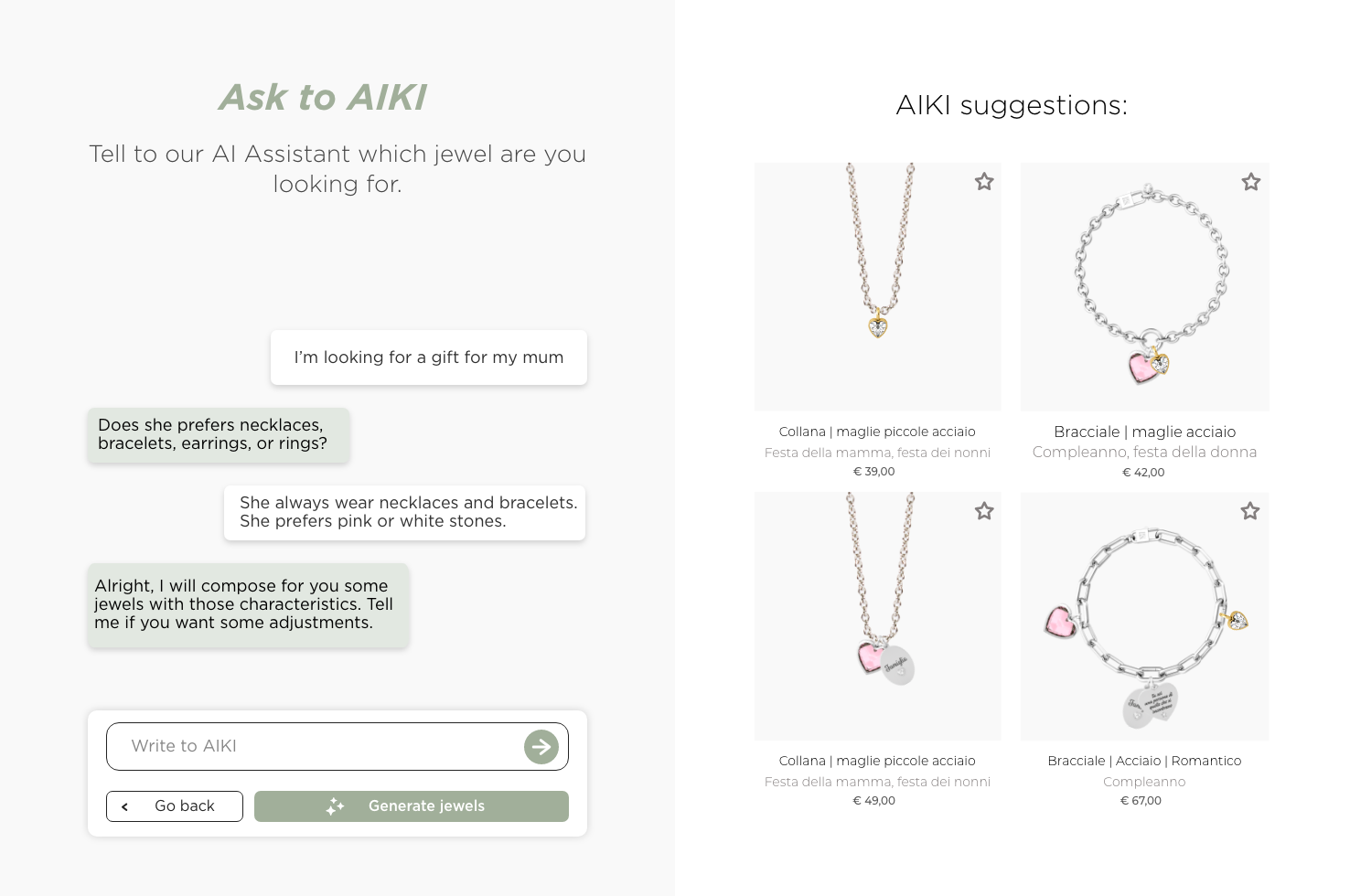
To directly solve the search barrier, I designed AIKI, an AI-powered conversational assistant. Instead of typing rigid search queries, users could describe their intent naturally:
Example: “I need a gift for my mum, she likes pink stones.”
AIKI would interpret preferences, filter charms, and suggest fully composed jewelry pieces. This transformed a previously frustrating task into a smooth, enjoyable, and personalized experience—bridging the gap between exploration and purchase.
Project Info
Officina idee - Client: Mabina S.P.A
2021 - 2026